
Black screen after a power outage, channels disappearing overnight, menu stuck on an error message: in most cases, a reset of the Fransat decoder is enough to restore reception. Before contacting customer service or replacing hardware, you can solve the problem yourself in a few minutes with the remote control and a minimum of method.
Fransat PC6 or PC7 Card: Check Before Resetting
It is often thought that the blockage comes from the decoder, while the problem sometimes lies in the card reader. Fransat PC6 generation cards are being gradually replaced by PC7 cards. If your card is outdated, the reset will restore factory settings without bringing back the channels.
Before any manipulation, remove the card from the decoder and check the printed mention on it. An expired PC6 card causes a black screen even after a complete reset. In this case, you need to order a new PC7 card from Fransat or an authorized dealer.
This scenario has been encountered quite often: someone meticulously follows the procedure to reset a Fransat decoder, everything goes well on the menu side, but the screen remains black upon restart. The reflex is to repeat the manipulation, while the problem comes from the card and not the box.
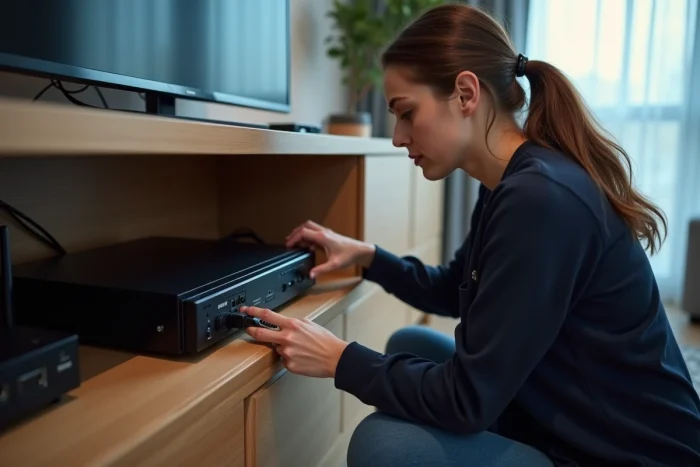
Factory Reset of an External Fransat Decoder: Concrete Steps
The procedure varies slightly depending on the manufacturer (Metronic, Aston, EssentielB), but the principle remains the same across all decoder boxes.
- Unplug the decoder from the power supply for about thirty seconds, then plug it back in. This cold restart resolves temporary software blockages without erasing your settings.
- If the problem persists, access the main menu via the Menu button on the remote control, then navigate to “System,” “Installation,” or “Settings” depending on the model. Look for the “Factory Reset” or “Reset” option.
- The decoder usually asks for a PIN code. By default, this code is 0000 or 1234 on most models. If you have changed it without noting it down, the cold restart does not reset it: you will need to contact the manufacturer’s customer service.
- Confirm the reset. The decoder restarts and launches the first installation wizard, just like when it came out of the box.
After the reset, reinsert the Fransat card (chip down on most models), then let the decoder scan for channels. Check that the satellite dish is pointing correctly at the Eutelsat 5WA satellite at 5° West, otherwise the scan will find nothing.
Resetting Fransat on a TV with Integrated Satellite Tuner
More and more TVs come with a satellite tuner compatible with Fransat, making the external box unnecessary. The reset then goes through the TV’s own menus, and the procedure differs from that of a separate decoder.
Accessing the Reset Depending on the TV Brand
On models compatible with Fransat (Philips, Hisense, Samsung, LG among others), look in the settings for the “System” or “Assistance” section, then the option “Reset settings to factory configuration”. This operation resets the entire TV, including the satellite part.
Note: unlike an external decoder, resetting a TV also erases your picture and sound settings, your apps, and your connected accounts. Write down your Wi-Fi credentials and preferences before starting the procedure.
Reinstalling Fransat After the Reset
Upon restarting, the TV will prompt you to choose the reception mode. Select “Satellite” then “Fransat” when the option appears. Insert the Fransat card into the CI+ port of the TV before starting the scan. Without a card inserted, the TV will detect the satellite signal but will not activate channel decoding.
Feedback varies on this point: some models automatically start the Fransat search as soon as they detect the card, while others require you to manually restart the scan from the “Channels” menu.
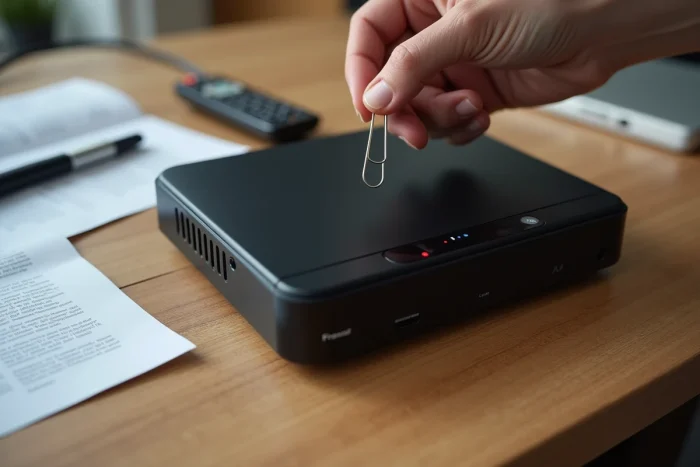
Common Issues After Resetting the Fransat Decoder
The reset does not solve everything. Here are situations where the problem lies elsewhere than in the decoder settings.
- Weak or Absent Satellite Signal: check the coaxial cable between the dish and the decoder. A loose connector or a cable damaged by the weather cuts off reception without generating a clear error message.
- Fransat card not recognized after reinsertion: clean the gold contacts of the card with a dry cloth. If the problem persists, test the card in another compatible device to confirm that it works.
- Partially restored channels: some channels take a few hours to reappear after a complete reset. The decoder must receive the update data sent by the satellite, which does not happen instantly.
If after all these checks the decoder remains stuck or does not pick up any channels, the problem may come from the hardware itself. A decoder that refuses to start after a cold restart and a factory reset likely has a firmware issue or a faulty component. The manufacturer’s customer service remains the last resort before replacement.
In most well-oriented installations equipped with a valid PC7 card, restoring factory settings followed by an automatic scan is enough to retrieve all free TNT channels via satellite. Keeping the default PIN code noted somewhere and checking the generation of your card before any manipulation helps avoid wasting time on a false lead.