
The ##002# code is a USSD command designed to cancel all active call forwarding on a mobile line. It does not detect phone tapping or spyware. Its scope is limited to managing call forwarding configured on the carrier’s network.
Call forwarding and voicemail: what ##002# actually removes
Dialing ##002# sends a request to the network to disable all conditional and unconditional call forwarding. This includes forwarding when unanswered, when busy, and when unreachable.
One thing to keep in mind: voicemail itself relies on call forwarding. When a caller reaches your voicemail after several rings, it’s because conditional forwarding redirects the call to the carrier’s voicemail server. Dialing ##002# removes this forwarding just like any other.
The practical result: after the code is run, unanswered calls ring out. Callers can no longer leave a message. For anyone who relies on voicemail for work or personal matters, the impact is immediate and often unexpected.
Before using the secret 002 code, we recommend noting your existing forwarding settings with the *#002# command, which displays the status of all forwarding without changing anything.
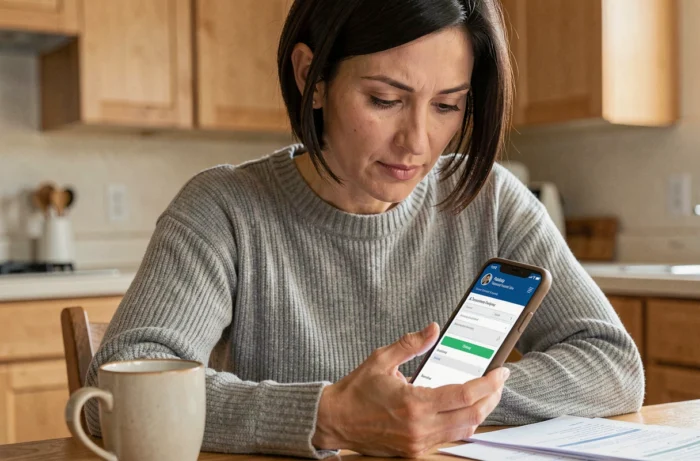
Checks to make before dialing ##002# on your mobile
Entering the code without preparing can lead to avoidable problems. A few checks beforehand can help you stay in control of your line settings.
- Check your forwarding status with *#002#: this query lists each active type of forwarding (voice, data, fax) and its destination number. A number beginning with your carrier’s prefix and corresponding to its voicemail server is normal forwarding, not a sign of intrusion.
- Identify legitimate forwarding settings: if you’ve set up forwarding to a landline or switchboard, make a note of it. After running ##002#, you’ll need to set it up again manually using the appropriate code (*21*, *61*, *62* or *67*, depending on the type).
- Check network compatibility: support for USSD codes depends on the carrier and network type. With some VoLTE plans or virtual mobile network operators (MVNOs), the code may have no effect or return an error. Contact customer service if you’re unsure.
Forwarding to a number you don’t recognize doesn’t automatically mean your calls are being tapped. Carriers use internal technical numbers for voicemail, and these numbers vary from one network to another. The best practice is to ask your carrier directly for confirmation rather than assume your line has been compromised.
##002# and spyware detection: why this is a misconception
Viral videos and articles present ##002# as a tool that can reveal whether a phone is being tapped. This claim is technically false.
A USSD code only acts on the carrier’s network layer. It has no visibility into apps installed locally. Spyware (stalkerware) operates at the phone’s operating-system level, capturing data directly on the device. The ##002# command can neither detect nor disable it.
To check for malware, look elsewhere: review the permissions granted to apps, monitor unusual battery usage, or run an audit with a reputable security tool. These steps relate to software security, not call forwarding management.
The confusion is partly due to the wording. The term “secret code” suggests a hidden feature or anti-spyware tool. In reality, USSD codes are documented network commands available to all subscribers. There’s nothing secret about how they work.
Other USSD codes to know
Several commands allow more precise management than the blanket removal performed by ##002#:
- *#21#: checks whether unconditional forwarding is active (all calls are diverted before the phone even rings).
- *#61#: checks forwarding when unanswered, which sends calls to voicemail after a certain number of rings.
- *#62#: displays forwarding applied when the phone is switched off or out of network coverage.
- *#67#: shows forwarding when busy, activated when the line is already in use.
These query commands (prefixed with *#) don’t change anything. They let you check the line’s status before taking action. Check first, act second: follow this sequence to avoid losing access to voicemail or to call forwarding you deliberately set up.

Reconfigure voicemail after ##002#
If you’ve dialed the code and voicemail no longer works, you can restore it by manually reactivating conditional forwarding. The usual command is **61*voicemail_number#, where the voicemail number is the one provided by your carrier (often accessible by dialing 888, 123 or a long number specific to the network).
The exact voicemail server number is usually listed in your online account or in your phone’s call settings, under “voicemail.” On Android, go to Settings, then Call, then Voicemail. On iOS, visual voicemail is automatically reconfigured in most cases when you restart your phone.
If that doesn’t work, contacting your carrier’s technical support is the most reliable option. An advisor can reactivate forwarding on the network without using a USSD code.
The ##002# code serves a useful, specific purpose: resetting call forwarding. The difficulty lies in the fact that it removes all forwarding indiscriminately. Check your settings first, know how to restore them afterward, and don’t attribute detection capabilities to the code that it doesn’t have.